
Why Your Wi-Fi Isn’t as Fast as It Should Be (And How to Fix It)
Whether you’re working remotely, attending virtual meetings, streaming 4K videos, managing business operations, or connecting multiple smart devices, your internet experience depends on more than just your broadband plan. One of the most overlooked factors affecting Wi-Fi performance is where your router is placed.
Many homes and businesses invest in high-speed Fiber Internet, Internet Leased Lines, or even Starlink Satellite Internet, only to experience slow speeds, buffering, dropped video calls, and dead zones because of poor router placement.
The good news? In many cases, you don’t need to upgrade your internet package—you simply need to optimize your router’s location.
In this guide, we’ll explain the most common router placement mistakes, why they reduce internet performance, and how to maximize your Wi-Fi coverage for homes, offices, SMEs, estates, and enterprise environments in Nigeria.
Why Router Placement Matters
Your Wi-Fi router communicates with your devices using radio waves. Unlike wired Ethernet connections, wireless signals can be weakened by walls, furniture, electrical appliances, and even people.
Even if you’re subscribed to a high-speed internet plan, poor router placement can result in:
• Slow internet speeds
• Weak Wi-Fi signals
• Frequent buffering
• Video conferencing issues
• Online gaming lag
• Poor VoIP call quality
• Dead zones throughout your home or office
According to networking experts, proper router placement can significantly improve wireless coverage without requiring additional hardware.
- Hiding the Router Inside Cabinets or Drawers
One of the biggest mistakes people make is treating the router like an object that needs to be hidden.
Many people place their routers inside:
• TV cabinets
• Wooden shelves
• Metal enclosures
• Office drawers
• Storage cupboards
Unfortunately, these materials absorb and block Wi-Fi signals.
Why It’s a Problem
Wireless signals need open space to travel. Every barrier reduces signal strength before it reaches your devices.
Best Practice
Place the router in an open, well-ventilated area with minimal obstructions.
- Placing the Router on the Floor
Wi-Fi signals naturally spread outward and slightly downward.
If the router sits on the floor, much of the signal is wasted.
Better Placement
Install the router:
• On a table
• On a shelf
• Wall-mounted
• Approximately 1–2 metres above ground level
Elevating the router generally improves signal distribution throughout the building.
- Positioning the Router at One End of the Building
Many internet installations place the router near where the internet cable enters the building.
While convenient during installation, this often leaves the opposite end of the building with weak Wi-Fi.
This is especially common in:
• Large homes
• Duplexes
• Offices
• Warehouses
• Hotels
• Schools
Ideal Location
Place the router as close as possible to the centre of the area you want to cover.
For larger properties, consider:
• Wi-Fi Mesh systems
• Business-grade Access Points
• Enterprise wireless networks
- Keeping the Router Near Thick Concrete Walls
Concrete is one of the biggest enemies of Wi-Fi.
In many Nigerian homes and office buildings, thick reinforced concrete walls drastically reduce wireless performance.
Other materials that weaken signals include:
• Marble
• Brick
• Steel
• Mirrors
• Metal partitions
Solution
Avoid positioning the router directly behind thick walls.
Where coverage is required across multiple floors or buildings, professionally installed access points offer better performance than relying on a single router.
- Installing the Router Beside Electrical Appliances
Many household appliances emit electromagnetic interference.
Common culprits include:
• Microwaves
• Refrigerators
• Televisions
• Wireless speakers
• UPS systems
• Inverters
• Large electric motors
These devices can interfere with Wi-Fi signals, especially on the 2.4 GHz frequency.
Recommendation
Keep at least one metre of separation between your router and major electrical appliances.
- Leaving the Router Beside Large Metal Objects
Metal reflects radio signals.
This includes:
• Filing cabinets
• Steel doors
• Metal shelves
• Water tanks
• Elevator shafts
The result is inconsistent wireless coverage.
Instead, install routers away from large metal surfaces whenever possible.
- Ignoring Multi-Floor Coverage
One router rarely provides excellent coverage across multiple floors.
Many duplex owners assume a downstairs router should cover upstairs bedrooms.
Unfortunately, concrete floors weaken signals considerably.
Better Options
For multi-storey buildings:
• Install Mesh Wi-Fi
• Use additional Access Points
• Deploy enterprise wireless infrastructure
Professional Wi-Fi design provides consistent coverage throughout the property.
- Using the Wrong Antenna Position
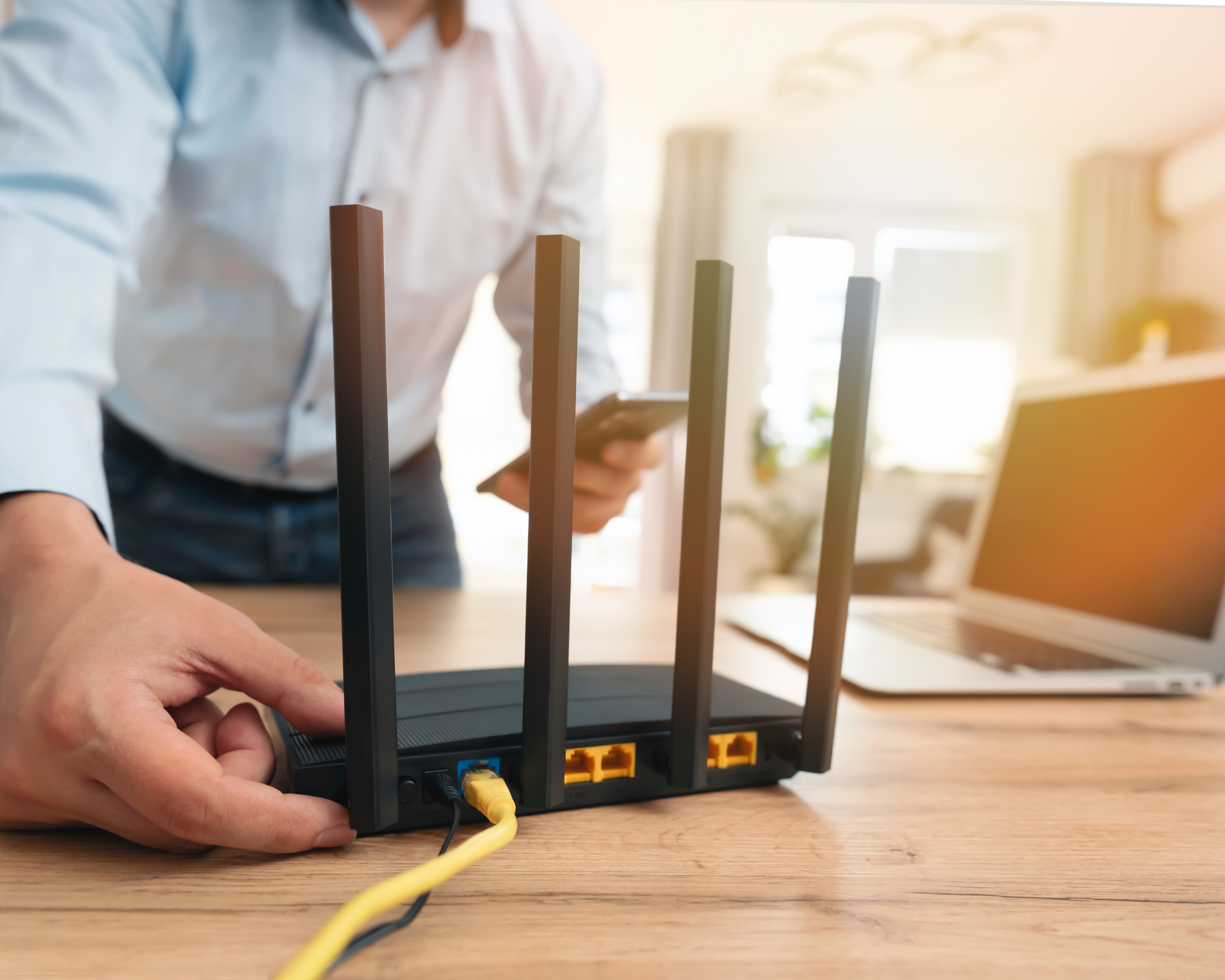
If your router has external antennas, positioning matters.
A common recommendation is:
• One antenna vertical
• One antenna horizontal (if applicable)
This helps improve signal reception for devices positioned differently throughout the building.
Always consult the manufacturer’s guidance, as optimal orientation varies by router model.
- Leaving Old Routers in Service Too Long
Technology evolves quickly.
An older router may not support:
• Wi-Fi 6
• Wi-Fi 6E
• Modern security standards
• Higher broadband speeds
• Multiple simultaneous users
If you’ve upgraded your internet package but still use an outdated router, your Wi-Fi may become the bottleneck.
- Forgetting That Too Many Connected Devices Reduce Performance
Today’s homes often connect:
• Smartphones
• Smart TVs
• CCTV cameras
• Laptops
• Tablets
• Gaming consoles
• Smart speakers
• Printers
• IoT devices
Businesses may connect hundreds of devices simultaneously.
Older consumer routers struggle under these loads.
Enterprise-grade wireless infrastructure is designed to handle higher device density efficiently.
- Not Updating Router Firmware
Router firmware updates often include:
• Security improvements
• Performance enhancements
• Bug fixes
• Better device compatibility
Outdated firmware may reduce both performance and cybersecurity.
Regular updates help keep your network secure and stable.
- Assuming Faster Internet Automatically Fixes Wi-Fi Problems
Many users upgrade from:
• 20 Mbps
• 50 Mbps
• 100 Mbps
• 300 Mbps
Yet they notice little improvement.
Why?
Because Wi-Fi coverage—not internet bandwidth—is often the real problem.
A poorly positioned router will still deliver weak performance regardless of your internet package.
Business Impact of Poor Router Placement
For businesses, poor Wi-Fi isn’t just inconvenient—it directly affects productivity.
Common business problems include:
Video Conference Interruptions
Dropped Microsoft Teams, Zoom, and Google Meet calls create a poor customer experience.
Slow Cloud Applications
Cloud-based ERP, CRM, accounting software, and collaboration platforms rely on stable internet connectivity.
Weak Wi-Fi causes delays and frustration.
Reduced Employee Productivity
Employees waste valuable time reconnecting to networks, waiting for files to upload, or moving around the office searching for stronger signals.
Customer Dissatisfaction
Hotels, restaurants, hospitals, schools, and retail businesses increasingly depend on reliable guest Wi-Fi.
Poor wireless coverage can negatively affect customer satisfaction and brand reputation.
Router Placement Best Practices
To maximize Wi-Fi performance:
• Place the router near the centre of the building.
• Position it 1–2 metres above the floor.
• Keep it in an open space.
• Avoid thick concrete walls.
• Keep away from metal objects.
• Keep away from microwaves and electrical appliances.
• Regularly update firmware.
• Upgrade older routers when necessary.
• Use Mesh Wi-Fi for larger homes.
• Deploy professional access points for businesses.
When Router Placement Isn’t Enough
Sometimes poor Wi-Fi isn’t caused by placement alone.
Large offices, estates, factories, hotels, hospitals, universities, and commercial buildings require professionally designed wireless networks.
This includes:
• Enterprise Wi-Fi planning
• Wireless site surveys
• Managed Wi-Fi
• Structured cabling
• Fiber backbone infrastructure
• Internet Leased Lines
• Starlink deployment for remote locations
• Business continuity solutions
• Network optimization
A professionally designed network ensures users experience consistent speeds, low latency, strong security, and reliable connectivity throughout the premises.
Why Businesses Choose TecPoint Global Solutions
Reliable internet connectivity requires more than simply installing a router.
TecPoint Global Solutions delivers end-to-end connectivity solutions tailored to Nigerian businesses, enterprises, SMEs, estates, educational institutions, healthcare providers, and remote locations.
Our solutions include:
• Enterprise Internet Connectivity
• Business Broadband
• Internet Leased Lines
• Fiber Internet
• Managed Network Services
• Wi-Fi Design & Deployment
• Structured Cabling
• Smart Office Solutions
• Estate Internet Solutions
• Starlink Satellite Internet Installation
• Network Monitoring and Support
Our experienced engineers assess each environment to recommend the most effective networking solution, ensuring optimal performance, scalability, and reliability.
Frequently Asked Questions (FAQ)
Where should I place my Wi-Fi router?
The ideal location is in an open, elevated, central area of your home or office, away from thick walls, metal objects, and electrical appliances.
Does putting a router near a window improve Wi-Fi?
Not necessarily. If the window faces outside, a portion of your Wi-Fi signal is wasted beyond your property. Central placement usually provides better indoor coverage.
Can walls slow down Wi-Fi?
Yes. Thick concrete, brick, and reinforced walls significantly weaken wireless signals, reducing speed and coverage.
Will buying a faster internet package solve weak Wi-Fi?
Not always. If poor router placement is the issue, upgrading your internet speed alone may not improve your wireless experience.
Is Mesh Wi-Fi better than a Wi-Fi extender?
In most situations, Mesh Wi-Fi provides more seamless coverage, better roaming, and improved performance compared to traditional Wi-Fi extenders.
When should a business upgrade to enterprise Wi-Fi?
Businesses experiencing frequent dead zones, slow wireless performance, high device density, or unreliable connectivity should consider enterprise-grade wireless infrastructure designed by networking professionals.
Final Thoughts
A fast internet connection deserves an equally efficient Wi-Fi setup. Before upgrading your broadband package, evaluate your router placement. Small adjustments—such as moving the router to a more central, elevated location—can dramatically improve speed, stability, and coverage.
For larger homes and businesses, professional network design delivers even greater results. Whether you need Fiber Internet, Internet Leased Lines, Managed Wi-Fi, Smart Office Solutions, or Starlink Satellite Internet for remote locations, TecPoint Global Solutions has the expertise to build reliable, high-performance connectivity solutions tailored to your needs.
Ready to eliminate Wi-Fi dead zones and experience truly reliable internet? Contact TecPoint Global Solutions today for a professional network assessment and discover the right connectivity solution for your home, office, or enterprise.