
Video Conferencing Room Solutions: A Complete Guide to Smarter Business Collaboration in Nigeria
Businesses in Nigeria are increasingly embracing digital transformation, hybrid work, and cloud-based communication. As organisations expand their operations, collaborate with remote teams, and engage clients across different locations, the need for reliable, professional communication systems has become more important than ever.
Traditional conference rooms, which often depend on basic projectors, standalone speakers, and personal laptops, may no longer provide the seamless meeting experience modern businesses require. Poor audio quality, unclear video, connectivity interruptions, and complicated meeting setups can reduce productivity and create an unprofessional impression.
This is where a video conferencing room solution becomes essential.
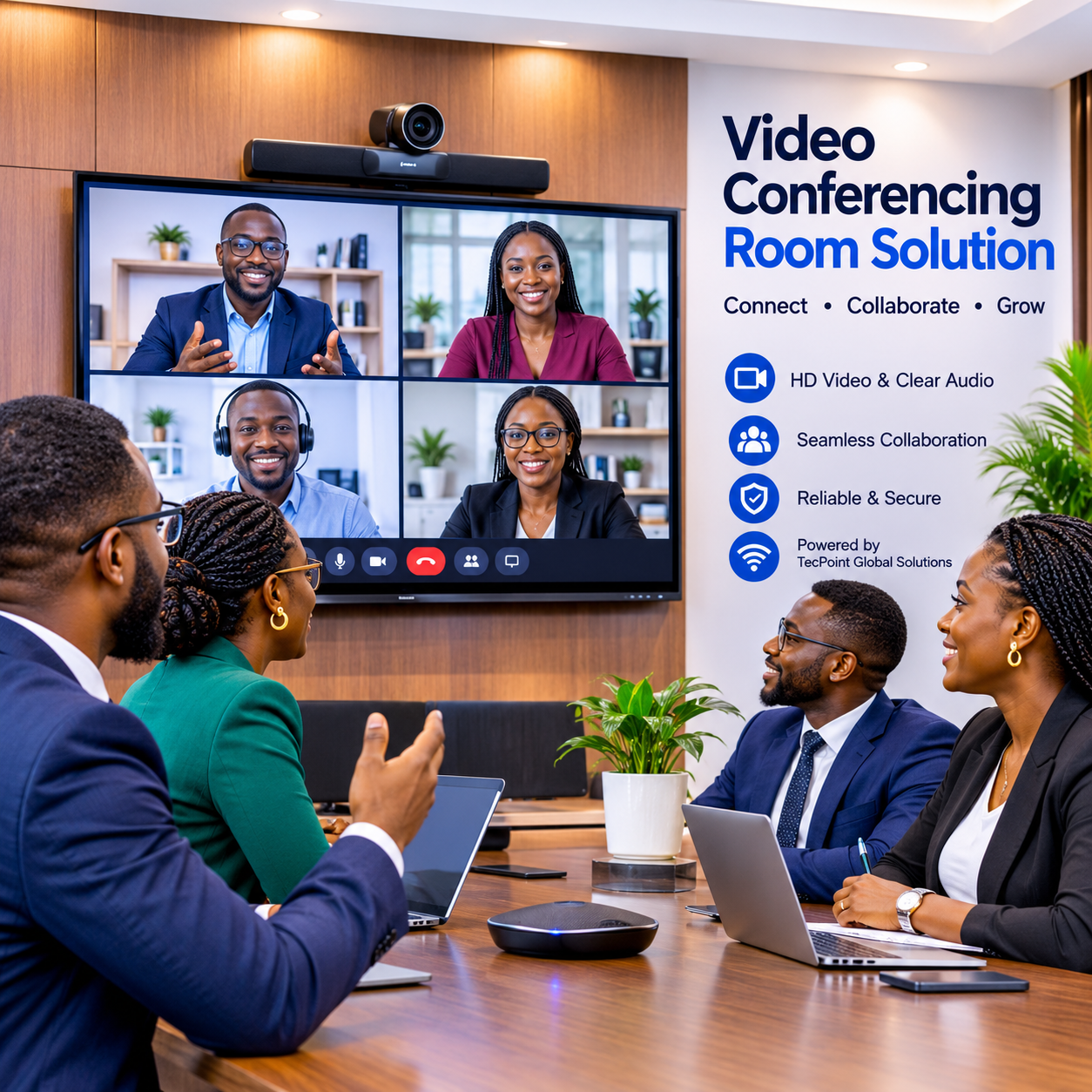
A professionally designed video conferencing room combines high-quality cameras, microphones, speakers, displays, collaboration software, and reliable internet connectivity to create an integrated meeting environment. It allows employees, executives, customers, and business partners to communicate effectively, whether they are in the same office or thousands of kilometres apart.
For Nigerian businesses looking to modernise their workplaces, TecPoint Global Solutions provides technology and connectivity solutions that support seamless digital collaboration. By combining professional video conferencing technology with dependable enterprise connectivity and managed IT services, organisations can build meeting spaces that are productive, reliable, and ready for the future of work.
What Is a Video Conferencing Room Solution?
A video conferencing room solution is an integrated communication system that enables people in different physical locations to participate in live meetings using audio, video, screen sharing, and collaborative presentation tools.
Unlike ordinary video calls conducted through personal computers or smartphones, a dedicated conference room solution is designed around the requirements of a professional meeting environment.
It brings together specialised hardware and software to deliver a consistent meeting experience. Participants can enter a meeting room, connect to a scheduled session, share presentations, and communicate with remote colleagues without dealing with complicated technical arrangements.
Modern video conferencing systems can integrate with popular collaboration platforms such as Microsoft Teams, Zoom, and Google Meet.
These solutions are suitable for corporate offices, boardrooms, executive meeting rooms, training facilities, educational institutions, government organisations, and distributed teams.
Key Components of a Professional Video Conferencing System
A successful video conferencing room depends on several interconnected components. Each plays an important role in delivering clear communication and a professional meeting experience.
- High-Definition Conference Cameras
Conference cameras capture participants and transmit clear video to remote meeting attendees. Depending on the room size and configuration, businesses can deploy wide-angle cameras, PTZ (pan-tilt-zoom) cameras, or intelligent cameras with automatic framing capabilities.
These features help ensure that remote participants can see speakers clearly, even in larger boardrooms.
- Professional Microphones and Audio Systems
Audio quality is just as important as video quality. Poor sound can make meetings frustrating, particularly when several participants are speaking or when people are seated far from the display.
Professional conference microphones, speakerphones, and integrated audio systems help capture voices clearly while reducing unwanted background noise and echo.
- Interactive Displays and Large Screens
Large-format displays allow participants to view presentations, documents, dashboards, and remote attendees without difficulty.
Depending on business requirements, a conference room may use commercial displays, interactive screens, or multiple monitors to support more complex meetings and collaborative sessions.
- Video Conferencing Software
Video conferencing software provides the communication platform through which meetings take place.
Solutions compatible with Microsoft Teams, Zoom, and Google Meet allow organisations to schedule meetings, invite participants, share screens, and collaborate with internal and external stakeholders.
The appropriate platform depends on an organisation's existing technology environment, security requirements, and collaboration preferences.
- Reliable Internet Connectivity
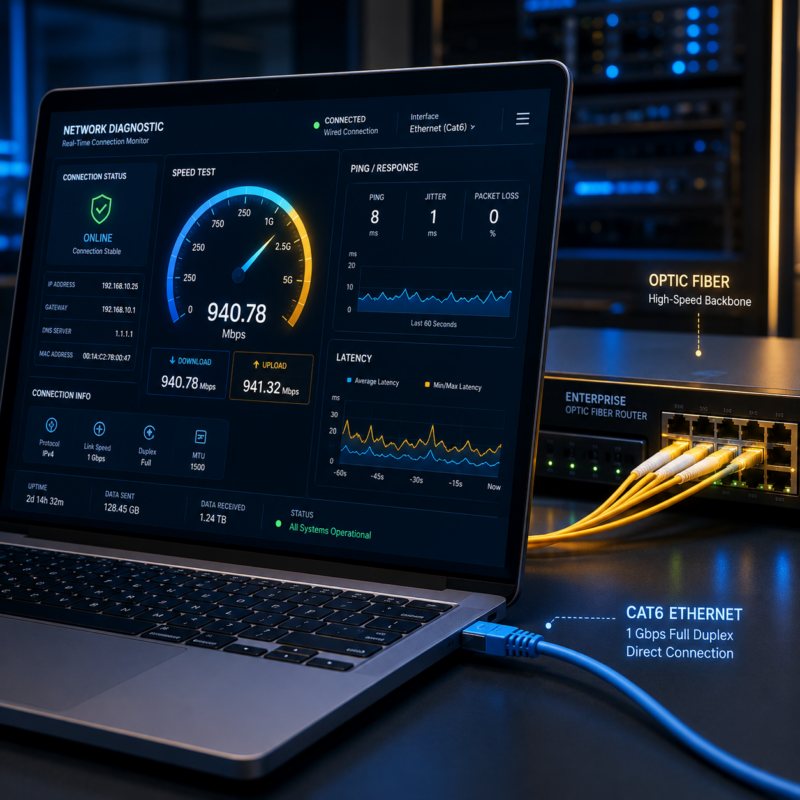
Even the most advanced conference room equipment cannot deliver a satisfactory experience without stable internet connectivity.
Insufficient bandwidth, high latency, packet loss, and unstable wireless connections can cause frozen video, delayed audio, and dropped meetings.
For this reason, businesses should consider enterprise-grade internet connectivity, appropriate network configuration, and traffic management when deploying professional video conferencing systems.
Types of Video Conferencing Room Solutions for Businesses
Not every organisation needs the same conference room configuration. The ideal system depends on room dimensions, participant numbers, meeting frequency, and the type of collaboration required.
Small Meeting Rooms and Huddle Spaces
Small meeting rooms are designed for teams of approximately two to six people. They typically require a high-quality video bar, an integrated microphone and speaker system, and a single display.
These setups are particularly useful for startups, small businesses, departmental meetings, and quick discussions with remote colleagues.
Medium-Sized Conference Rooms
Medium-sized rooms accommodate larger teams and require wider camera coverage, improved microphone pickup, and potentially multiple displays.
They are suitable for project reviews, client presentations, departmental meetings, and management discussions.
Executive Boardrooms
Boardrooms require more advanced audiovisual integration. Multiple microphones, PTZ cameras, large displays, dedicated room controllers, and professional audio systems can provide a more comprehensive meeting experience.
For organisations conducting executive meetings, investor presentations, strategic planning sessions, and discussions with international partners, a properly configured boardroom conferencing system can make a significant difference.
Training Rooms and Hybrid Classrooms
Training facilities and educational institutions need systems that support presenters, instructors, remote learners, and in-person participants.
Multiple cameras, presentation displays, wireless screen sharing, and suitable audio coverage can help deliver engaging hybrid learning experiences.
Benefits of Installing a Professional Video Conferencing Room Solution
Investing in a professional video conferencing system is not simply about upgrading office equipment. It is about improving how people communicate, collaborate, and make decisions.
Improved Business Communication
High-quality audio and video reduce misunderstandings and allow participants to focus on discussions rather than technical problems.
This is particularly important for Nigerian organisations working with international clients, suppliers, consultants, and business partners.
Increased Productivity and Reduced Travel Costs
Businesses can conduct meetings with stakeholders in Lagos, Abuja, Port Harcourt, and international locations without requiring everyone to travel physically.
For example, a company headquartered in Lagos can hold a management meeting with its Abuja branch while sharing financial reports and operational dashboards in real time.
This saves travel time, reduces associated expenses, and allows decisions to be made faster.
Better Hybrid Working Experiences
Hybrid work has changed how employees interact. Some team members may be physically present in the office, while others participate remotely.
A professionally integrated conference room helps create a more balanced experience by ensuring remote attendees can hear conversations, view presentations, and participate meaningfully.
Stronger Client and Corporate Presentations
First impressions matter in business. Clear video, professional sound, and seamless presentation sharing help organisations communicate competence and professionalism during virtual meetings.
Improved Collaboration Across Multiple Locations
Businesses with branches, regional offices, and distributed teams can maintain consistent communication without relying entirely on physical meetings.
This is particularly valuable for banks, telecommunications companies, professional service firms, educational institutions, and multinational organisations.
How to Choose the Right Video Conferencing System in Nigeria
Selecting the right video conferencing room solution requires more than comparing camera specifications or purchasing the latest equipment.
Businesses should consider the following factors.
Assess Your Meeting Room Requirements
Start by evaluating the size of the room, seating arrangement, number of participants, lighting conditions, and acoustic environment.
A small meeting room may only require an integrated video bar, while a large executive boardroom may need multiple cameras, ceiling microphones, additional speakers, and dual displays.
Choose Compatible Collaboration Platforms
Consider whether your organisation primarily uses Microsoft Teams, Zoom, or Google Meet.
The conferencing equipment should support the intended platform and provide a straightforward meeting experience. Where possible, choose certified or officially supported devices to reduce compatibility problems.
Microsoft publishes its Teams Rooms certified hardware requirements, while Zoom provides guidance through its Zoom Rooms hardware guide.
Prioritise Network Reliability
Internet connectivity is a critical part of every video conferencing deployment.
Businesses should evaluate available bandwidth, latency, packet loss, network congestion, and connection stability. It is also important to configure the network to prioritise real-time communication traffic where appropriate.
For organisations that depend heavily on virtual meetings, enterprise internet connectivity or an Internet Leased Line can provide a more suitable connectivity foundation than an overloaded shared connection.
Consider Security and Access Control
Business meetings may involve confidential financial information, customer records, strategic plans, and internal discussions.
Organisations should implement appropriate meeting access controls, authentication, software updates, network security, and administrative policies.
Integration with existing firewall and managed network solutions can also help protect the wider business environment.
Plan for Technical Support and Scalability
A conferencing system should remain reliable beyond its installation date.
Consider equipment maintenance, software updates, technical support, user training, and the possibility of expanding the solution as your organisation grows.
The Importance of Reliable Internet for Video Conferencing in Nigeria
One of the most overlooked aspects of video conferencing is the quality of the underlying internet connection.
A sophisticated camera and professional audio system cannot compensate for an unstable network. Even a brief interruption can disrupt an executive presentation, client consultation, or important business negotiation.
For Nigerian businesses, connectivity planning should account for local infrastructure, service availability, network congestion, and operational requirements.
Fibre-optic broadband provides high-speed connectivity where suitable infrastructure is available. Internet Leased Lines offer dedicated business connectivity for organisations that require predictable network performance and stronger service commitments.
Starlink satellite internet can also provide an alternative connectivity option in locations where terrestrial broadband infrastructure is limited, subject to local availability and service conditions.
A practical approach may involve primary business connectivity combined with a suitable backup connection. This can help reduce downtime when the primary service experiences an interruption.
TecPoint Global Solutions supports organisations with enterprise connectivity, Internet Leased Lines, business internet, managed network solutions, and Starlink connectivity options. These services can form part of a broader strategy for dependable video conferencing and digital collaboration.
Common Applications of Video Conferencing Room Solutions
Video conferencing technology supports a wide range of business activities across different industries.
Corporate offices: Management teams can conduct board meetings, departmental reviews, performance evaluations, and strategic planning sessions with employees across multiple locations.
Banking and financial institutions: Financial organisations can use secure virtual meeting environments for internal discussions, client consultations, and collaboration between branches.
Healthcare organisations: Hospitals and healthcare providers can facilitate administrative meetings, professional training, and appropriate remote consultations using suitable privacy and security controls.
Educational institutions: Universities, training centres, and professional institutes can deliver hybrid lectures, virtual workshops, and remote training programmes.
Government and public-sector organisations: Government departments can coordinate activities, hold stakeholder consultations, and conduct interdepartmental meetings without requiring all participants to travel.
Multinational businesses: Organisations with international operations can maintain regular communication with overseas partners, suppliers, executives, and regional teams.
Why Choose TecPoint Global Solutions for Video Conferencing Room Solutions?
Implementing a professional video conferencing environment requires more than purchasing cameras and displays. It involves understanding the organisation's communication requirements, selecting compatible equipment, integrating the necessary systems, and ensuring dependable connectivity.
TecPoint Global Solutions provides technology solutions designed to help businesses improve communication, connectivity, security, and operational efficiency.
Its Video Conference Room Solutions are focused on creating seamless and professional virtual collaboration environments through integrated room audio, displays, conferencing equipment, and compatible meeting platforms.
The solution can support organisations using Microsoft Teams, Zoom, and Google Meet, with configurations designed around their meeting spaces and operational requirements.
TecPoint's broader technology portfolio also provides complementary services, including:
- Enterprise Connectivity: Business-grade connectivity options for organisations that depend on reliable internet access.
- Internet Leased Lines: Dedicated connectivity options for businesses with demanding network requirements.
- Managed Network Solutions: Network management and support to help maintain business connectivity.
- Starlink Satellite Internet: An alternative connectivity option for locations where terrestrial broadband access is limited.
- Firewall Solutions: Network security solutions powered by Sophos and FortiGate.
- Managed IT Services: Technology support that helps organisations maintain and manage their IT infrastructure.
This combination of audiovisual integration, business connectivity, managed IT, and security capabilities provides a practical foundation for organisations planning their digital workplace infrastructure.
To discuss a suitable configuration, businesses can contact TecPoint Global Solutions.
The Future of Video Conferencing and Smart Meeting Rooms
Video conferencing technology continues to evolve as artificial intelligence, cloud computing, and workplace automation become increasingly integrated into business communication.
Modern smart meeting rooms are moving beyond basic video calls. AI-powered camera framing, intelligent speaker tracking, noise suppression, automated meeting transcription, and AI-assisted meeting summaries are improving how participants interact and manage information.
Cloud-based collaboration platforms are also making it easier for organisations to manage meetings across multiple offices and devices.
However, successful adoption requires more than access to advanced features. Businesses must consider compatibility, data protection, network performance, user experience, and long-term maintenance.
For Nigerian organisations, investing in scalable video conferencing infrastructure can support business continuity, improve collaboration, and strengthen competitiveness in an increasingly connected economy.
Frequently Asked Questions About Video Conferencing Room Solutions
- What is a video conferencing room solution?
A video conferencing room solution is an integrated communication system that combines cameras, microphones, speakers, displays, and meeting software to enable professional virtual meetings between participants in different locations.
- How much does a video conferencing room solution cost in Nigeria?
The cost depends on room size, equipment specifications, camera quality, audio requirements, display configuration, software compatibility, installation, and technical support. A small meeting room generally requires less equipment than a fully integrated executive boardroom. Businesses should request a solution assessment and quotation based on their specific requirements.
- Which software platforms support video conferencing rooms?
Popular platforms include Microsoft Teams, Zoom, and Google Meet. The equipment selected should be compatible with the organisation's preferred platform and meeting requirements.
- What equipment is required for a professional video conferencing room?
Typical equipment includes a conference camera, microphones, speakers, display screens, a room computer or conferencing appliance, a control interface, and suitable meeting software. Reliable internet connectivity is also essential.
- What internet speed is required for video conferencing?
The required bandwidth depends on the conferencing platform, video resolution, number of participants, and simultaneous network activity. Businesses should check the platform's current bandwidth recommendations and assess both upload and download performance. Low latency, minimal packet loss, and stable connectivity are equally important.
- Can a video conferencing room support hybrid meetings?
Yes. A properly configured video conferencing room allows employees in the office to collaborate with remote participants through live video, audio, screen sharing, and presentation tools.
- Is video conferencing suitable for large boardrooms?
Yes. Large boardrooms can use multiple cameras, professional microphone arrays, dedicated speakers, multiple displays, and integrated room control systems to support meetings involving many participants.
- Why should businesses choose a professional video conferencing solution?
Professional solutions offer better audio and video coverage, simpler meeting management, improved collaboration, and a more consistent experience than basic laptop-based video calls. They can also be designed to scale with an organisation's requirements.
Conclusion: Transform Your Meeting Rooms with TecPoint Global Solutions
Effective communication is essential to business success. As Nigerian organisations embrace hybrid working, digital transformation, and geographically distributed operations, professional video conferencing room solutions are becoming an important part of modern business infrastructure.
The right solution brings together professional cameras, high-quality audio, displays, collaboration platforms, and dependable internet connectivity to create a seamless meeting experience.
Whether your organisation needs a compact huddle room, a medium-sized conference facility, or a fully integrated executive boardroom, choosing the right technology and implementation partner is essential.
TecPoint Global Solutions helps businesses build smarter, more connected workplaces through professional video conferencing, enterprise connectivity, managed IT services, and integrated technology solutions.
Ready to upgrade your meeting environment?
Contact TecPoint Global Solutions today to discuss your video conferencing requirements and discover a suitable solution for your organisation.
Website: https://www.tecpointglobal.com/
Contact page: https://www.tecpointglobal.com/contact-us/